
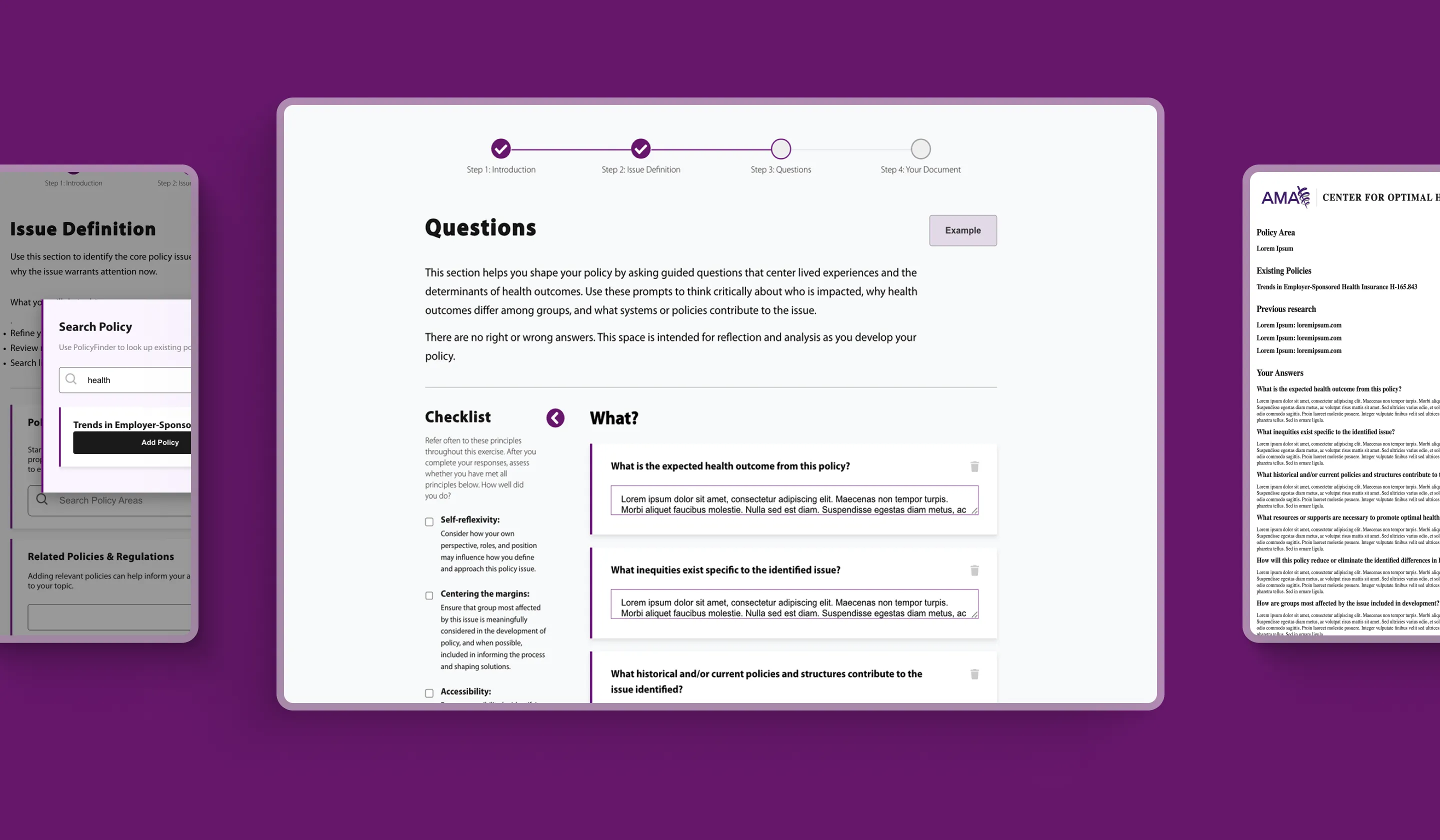
The American Medical Association partnered with Perpetual to design a digital policy tool for The Center for Optimal Health Outcomes. The Center for Optimal Health Outcomes works to advance positive health outcomes by supporting solutions, resources, and practices that address inequities across health care systems and communities.
Designed for AMA’s Ed Hub, the tool helps users analyze policies through the lens of health outcomes, reflection, and practical application. Using AMA-provided content and platform requirements, the goal was to create a guided, interactive experience that could help users move through policy analysis, capture key considerations, and generate a comprehensive research document.
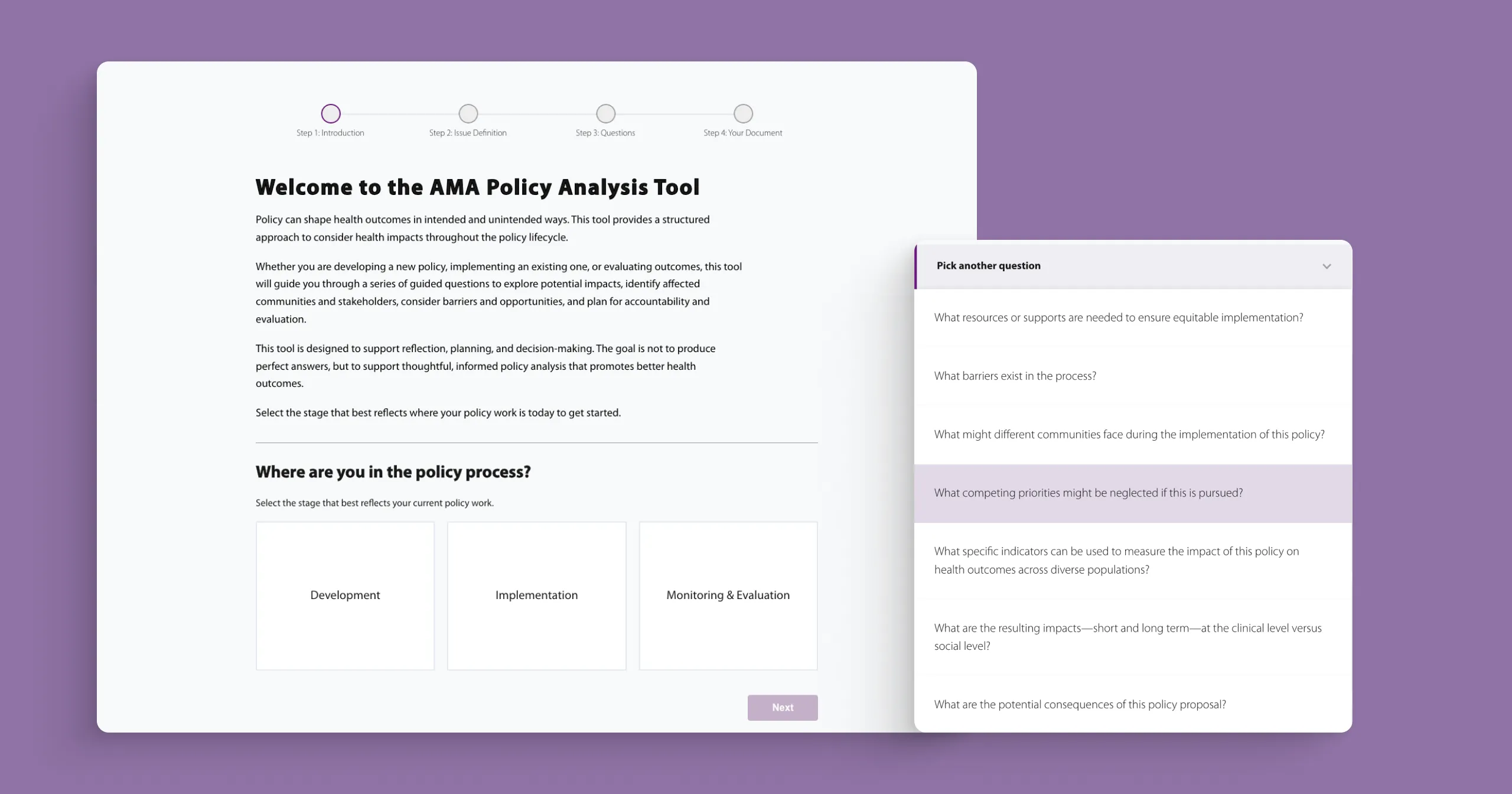
The project delivered a new digital tool for The Center for Optimal Health Outcomes, designed to make the policymaking process more guided, interactive, and actionable. By translating AMA-provided content into a step-by-step experience, the tool helps users move through issue definition, stakeholder consideration, impact assessment, policy refinement, and implementation planning.
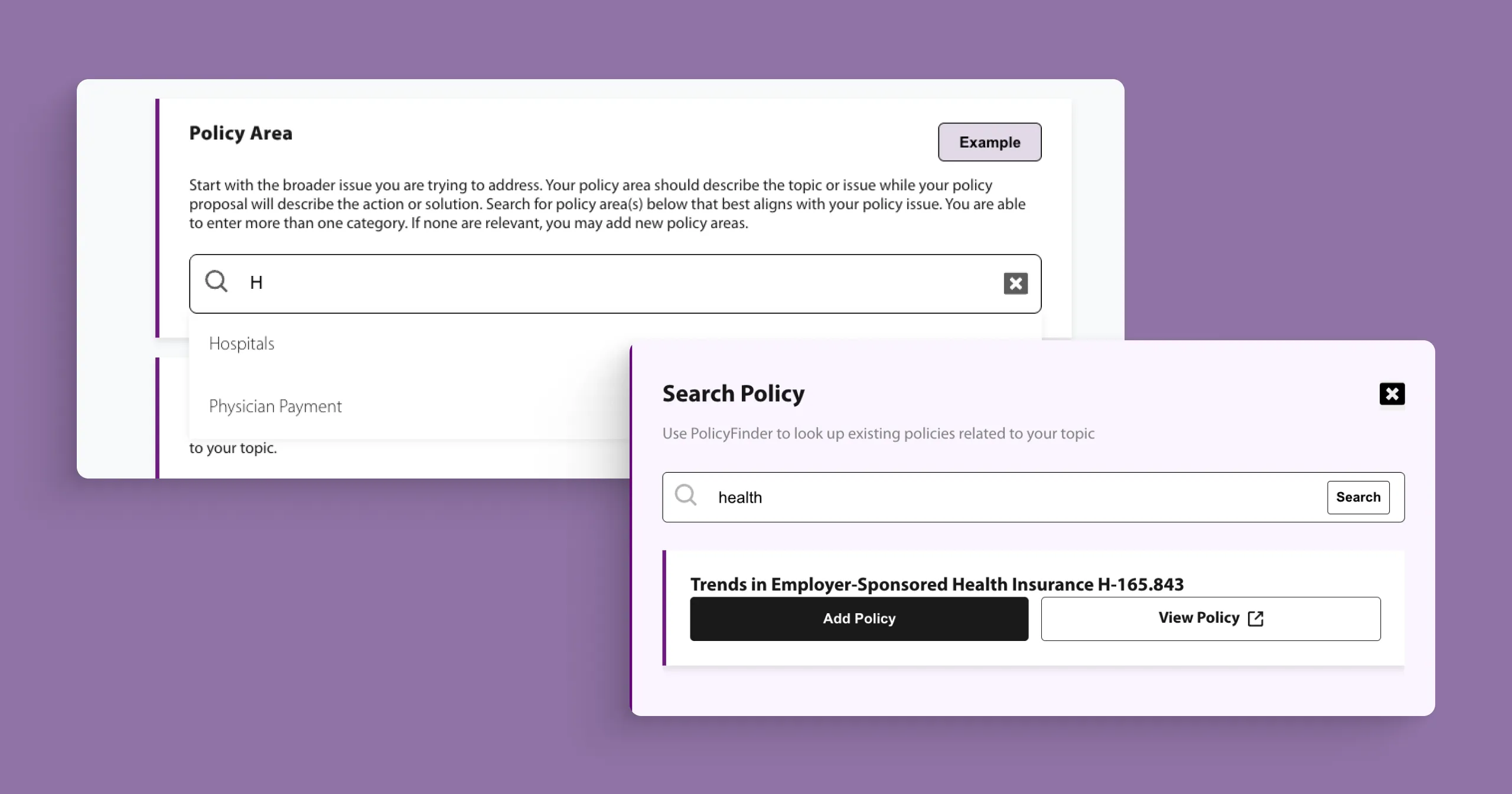
The final experience includes interactive input fields, guided questions, checklists, supporting resource areas, PolicyFinder integration, and a document output users can print or save as a PDF. The result is a platform-ready tool that helps AMA turn policy guidance into a more practical resource for reflection, documentation, and decision-making.
We translated detailed policy-creation guidance into a usable digital tool for The Center for Optimal Health Outcomes. We began with stakeholder interviews across AMA to understand the project goals, user needs, policy analysis flow, and AMA Ed Hub requirements.
From there, we reviewed the original source document, comparable learning experiences, and user-testing feedback to identify opportunities for clearer structure, improved navigation, and more meaningful interaction. Personas and user journeys helped shape the experience around how different users would move through the tool, reflect on key questions, and document their thinking.
The final design centered on a guided policy workflow, leading users from introduction and issue definition to guided questions and final document creation. Features such as searchable fields, guided examples, checklists, expandable question sections, text input areas, PolicyFinder integration, and printable document output helped make the experience more interactive and actionable.
The final experience was delivered as a coded module using Vercel and React for AMA Ed Hub.
The tool was structured around a clear workflow that guides users through the policymaking process, from introduction and issue definition to guided questions and final document creation. The phase selected at the beginning of the tool impacts the questions asked to the user later on in the tool, this logic helps personalize the tool to user needs. This helped turn AMA-provided policy content into a more approachable experience for The Center for Optimal Health Outcomes, giving users a clearer sense of progress as they worked through each step.
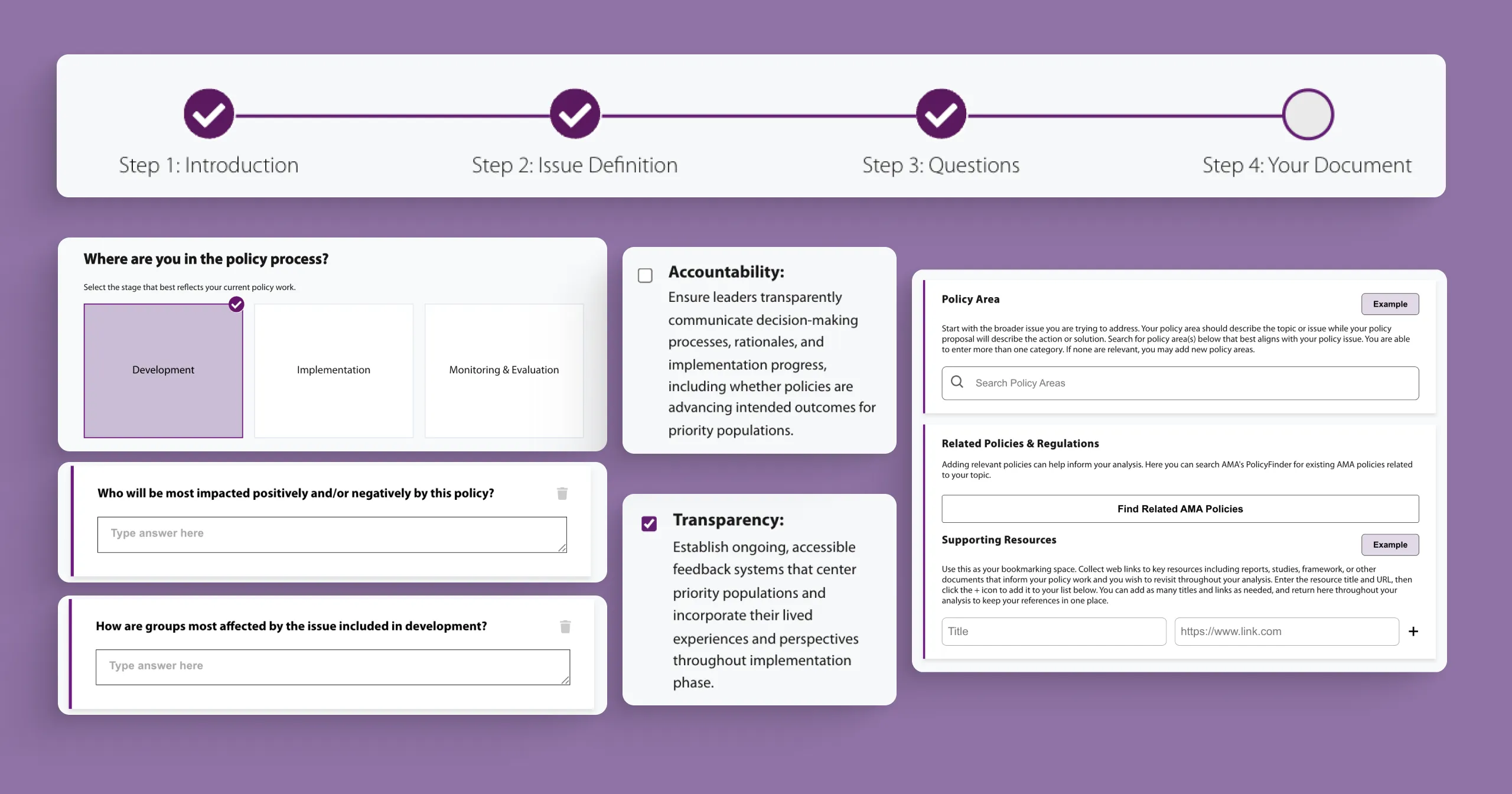
Interactive fields, searchable policy areas, guided prompts, checklists, examples, and expandable question sections helped users engage with the content more actively. Rather than presenting the material as a static learning document, the tool allowed users to capture policy details, add supporting resources, reflect on key questions, and organize their thinking throughout the process.
The final step of the tool compiled user responses into a structured document that could be printed or saved as a PDF. This gave users a practical output they could reference, share, and continue using beyond the module experience, while supporting privacy by making clear that entered information is not stored or retained.
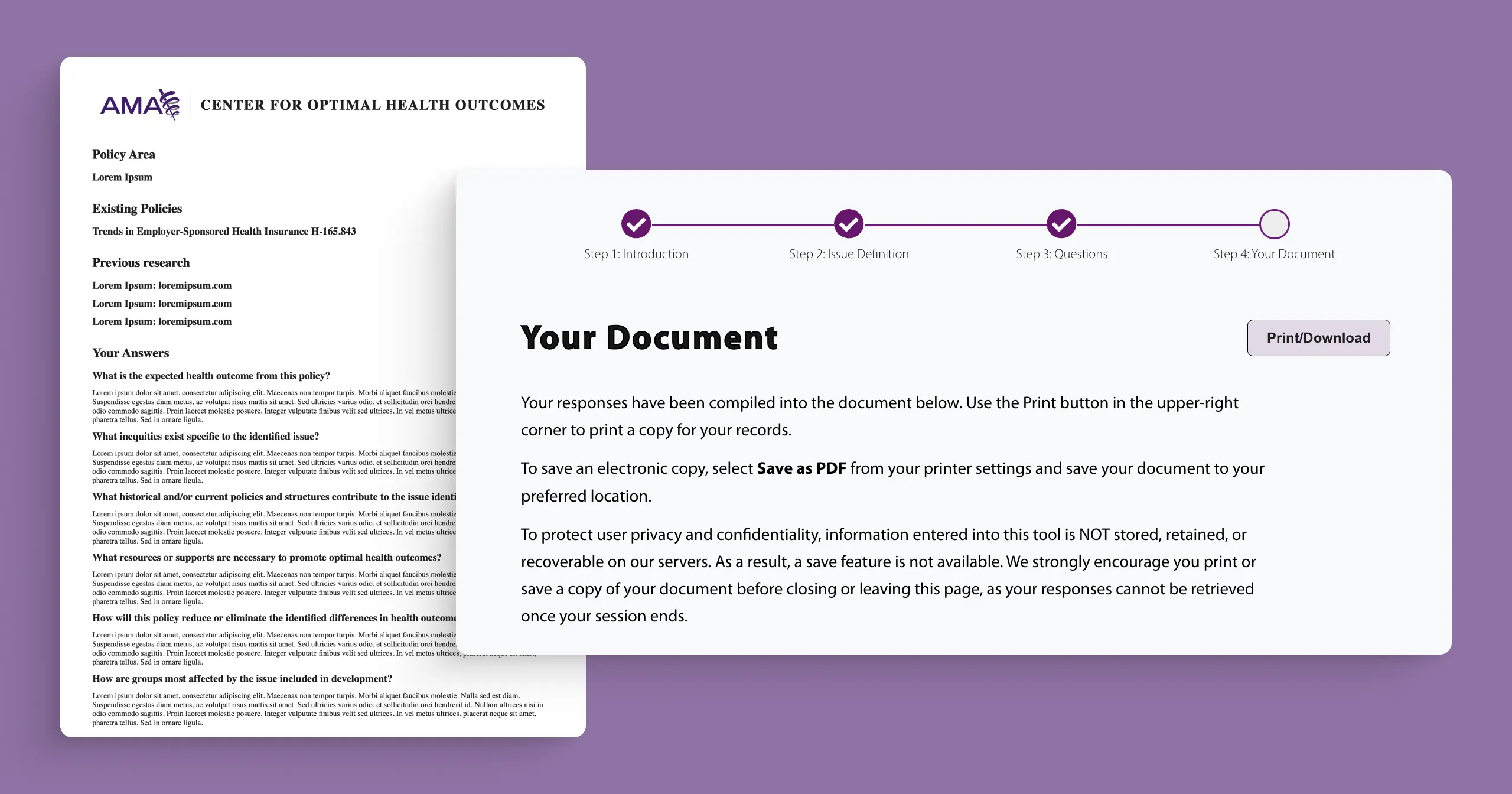
The project helped AMA turn detailed policy guidance into a more practical digital tool for The Center for Optimal Health Outcomes. By combining a guided workflow, an interactive input experience, and a final document output, the tool made it easier for users to move from understanding policy considerations to applying them.
The final experience also created a scalable model for future tools hosted on AMA from external resources. With platform-ready code, a downloadable PDF output, and a more engaging user experience, AMA gained a stronger foundation for turning policy content into interactive tools that support reflection, decision-making, and real-world application.


